
When using ProtoPixel Node to control the lights of a store, a restaurant or even your home, you may need a way to easily control which contents you want active for which fixtures, or even to create predefined scenes.
Manager is the ProtoPixel Node App that allows any user to control a ProtoPixel light installation in an easy and intuitive way from her phone, tablet or computer.
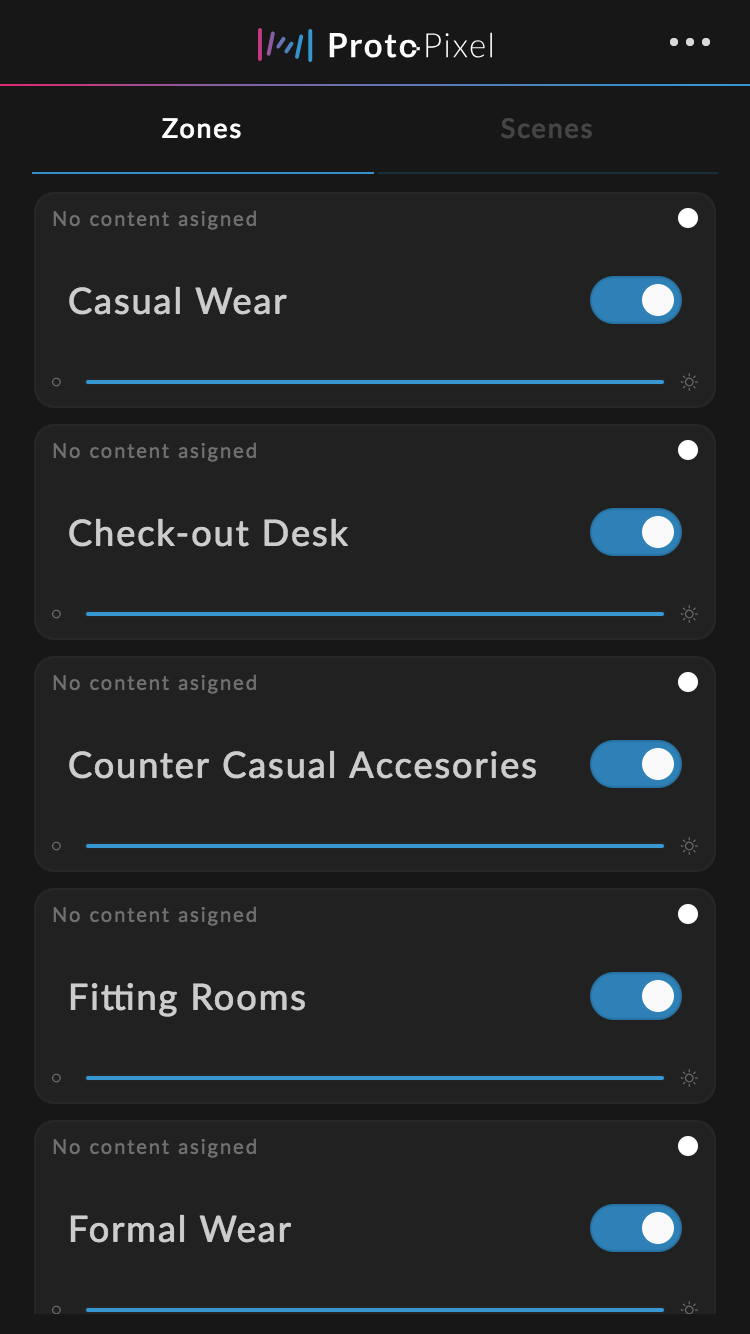
Main View of the Manager
How it works
When designing your lighting scenario in ProtoPixel Create, add, and map all the contents you want to use later in the venue. Then distribute your fixtures into Zones, by assigning the Zone parameter in the inspector panel. These Zones will help you assign contents to fixtures (all fixtures in the zone) easily.
You should also add content to these Zones. Contents with a set Zone will only be available to the fixtures of this zone.
Then just export the project and upload it to the Node.
Accessing the Manager App
From the admin interface, click on the manager icon. You can alternatively go directly to http://ppxnode-ABCDEXX.local/PPxManager/.
Activating the Manager
When accessing the manager, if it is not active you will be asked to activate it.
When activated, you will see the main view of the app, the Zones tab. Which displays the available Light Zones with an overview of its configurations.
Main View of the Manager
Comments
0 comments
Article is closed for comments.